Buy AWS Account with Credits, Raised vCPU Quotas and Full Root Access
A new AWS signup rarely goes as fast as a team needs. Card verification takes a few days. Quota tickets sit in a queue. Grant reviews stretch into weeks. Meanwhile the product launch, the model training run, and the client demo all wait. For a small team, that delay costs more than the cloud bill itself.
BestClouds sells AWS accounts that have already cleared those early stages. Each account arrives with an active billing profile, promotional credits loaded, compute quotas raised, and full root access. Buyers choose the tier that fits their workload — from $1,000 starter accounts to $100,000 enterprise packages — and receive the credentials through an encrypted message after payment.
The rest of this page explains what each tier includes, which team fits which account, how to lock down the account on delivery day, and what limits apply. Buyers deserve the full picture before they spend money, so the limits are listed alongside the benefits.
 Product summary
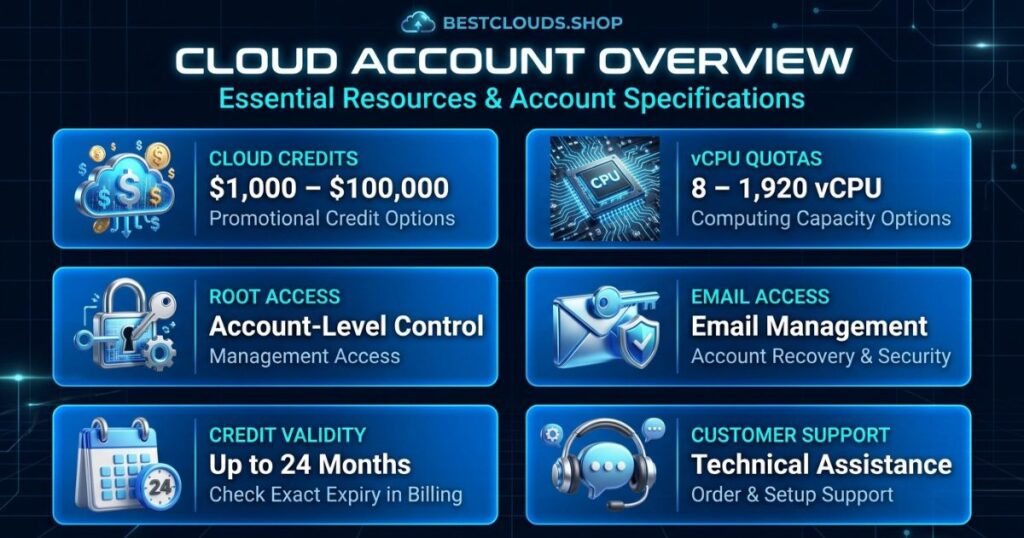
| Item | Detail |
| Credit | $1,000 to $100,000 promotional credits |
| vCPU quotas | 8 vCPU to 1,920 vCPU, raised before delivery |
| Root access | Full root email, password, and IAM control |
| Changeable to your own domain on takeover | |
| Credit validity | Up to 24 months, visible in Billing |
| Card hold | None on delivery |
| Delivery | Encrypted message after payment |
| Warranty | 7-day Warranty Only For Credit Accounts |
| Fits | Startups, AI teams, DevOps, agencies, e-commerce |
Why Teams Pick a Pre-Configured Account?
AWS signup rules exist for good reasons. They filter bad actors and protect the platform. The cost of that safety falls on honest teams, and the wait is where projects stall.
The table below shows where the two paths diverge in practice.
| Standard AWS Signup | BestClouds Pre-Configured Account |
| Card verification hold at signup | No card hold at delivery |
| Default 8 vCPU limit | 32 vCPU to 512 vCPU already raised |
| Grant approval takes weeks | Credits active in Billing |
| Limited EC2 instance family availability | C5, R5, M5, G4dn, G5 available |
| Manual identity review | Identity and phone verified |
| Fresh account, no history | Aged account, clean billing record |
Four patterns repeat across our order desk.
The sprint will not wait. A dev team with a two-week deadline cannot pause for a quota ticket. A pre-raised account lets them launch the plan they already wrote.
The budget has no room for a test. Founders often need a staging environment before they commit real money. Preloaded credits cover that stage without touching the runway.
The client needs a separate account. Agencies get confused invoices when every project runs on one account. A second account keeps billing and permissions clean.
The project moved region. US-East, EU-West, AP-Northeast — each region has its own instance availability. An account with unlocked regional access handles that shift without a new signup.
Account Types at BestClouds
Five account types sit in our catalog. The right one comes down to workload shape, not price alone.
Free Tier and Starter Accounts (8 vCPU)
Starter accounts are for small jobs. They come fully verified with an active billing profile, so there is no signup hold waiting at the door. The quota is 8 vCPU, which covers API endpoint testing, light staging, and microservice checks.
- Quota: 8 vCPU
- Credits: standard free tier eligibility (750 micro instance hours per month, 5 GB S3)
- Best for: solo developers, students, first deployments
High vCPU Compute Accounts (32 vCPU to 1,920 vCPU)
Most orders are for this tier. The quota is raised before handover, so the first EC2 launch works without a support ticket.
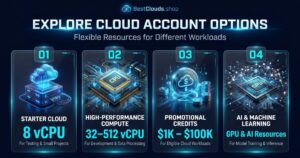
- Available quotas: 32, 64, 128, 256 up to 512 vCPU
- Instance families: C5/C6g (compute), R5/R6g (memory), M5/M6g (general)
- Best for: build pipelines, video transcoding, parallel analytics, container workloads
EC2-heavy projects belong here. A 32 vCPU account handles most small-team production loads. Data engineering teams usually move up to 128 vCPU.
Promotional Credit Accounts ($1K, $5K, $10K, $25K, $100K)
Credit accounts carry an active promotional balance on the billing profile. The amount, expiry date, and eligible services are all visible in the Billing console on day one.
- $1,000 tier: 8 to 32 vCPU. Suits early SaaS builds and first production tests.
- $5,000 to $10,000 tier: 64 to 128 vCPU. Suits growing apps, data pipelines, and light GPU work.
- $25,000 to $100,000 tier: 256 to 512+ vCPU. Built for enterprise SaaS, large data jobs, and AI research.
Credits last up to 24 months. Once they run out, the account continues on standard pay-as-you-go billing because the payment profile is already verified.
AI, SageMaker and Bedrock Accounts
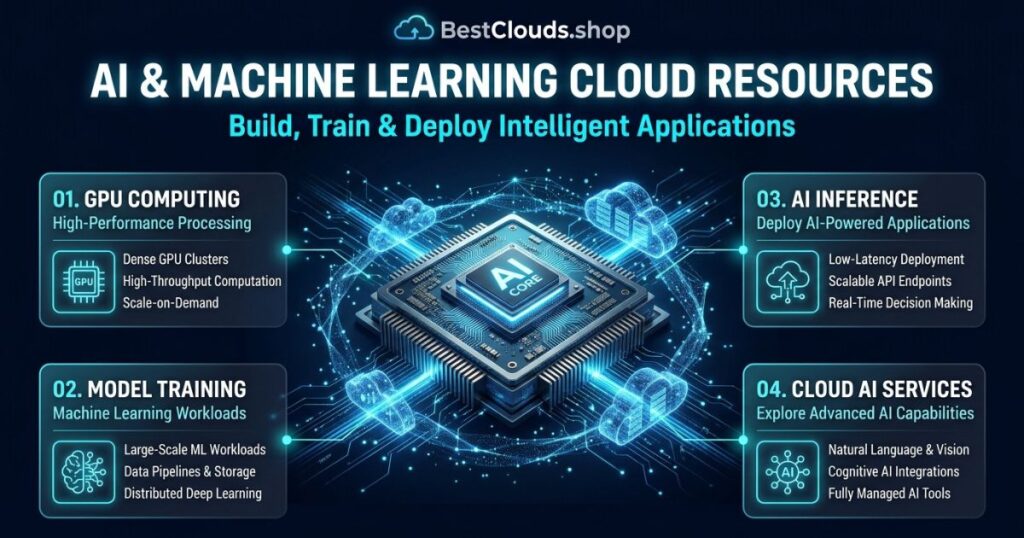 Machine learning work needs GPU quota and model API access. This tier is set up for both.
- Bedrock access: inference limits from 10 RPM to 10,000 RPM across foundation models including Anthropic Claude, AI21, and Stable Diffusion
- SageMaker and GPU: cleared quota for NVIDIA A100, V100, and T4 across p3, p4, g4dn, and g5 families
- Best for: model training, generative AI hosting, batch inference
Buyers planning LLM work should note this in the order form. The Bedrock configuration differs from a standard EC2 account, and we prepare it before delivery.
Who Buy These Accounts?
Five buyer groups make up most of our orders. Find your group, then pick the tier.
Startup founders and SaaS builders. Year one of a SaaS product is a cash flow test. Preloaded credits take hosting cost out of the burn rate for up to two years. The saved money goes back into product, design, and hiring.
AI engineers and ML researchers. GPU quota is the bottleneck. A standard account cannot launch a p4 or g5 instance without a support request. AI-tier accounts from BestClouds already carry that quota, so training starts on order day.
DevOps and data engineering teams. Automated scraping, distributed microservices, and batch ETL need many EC2 nodes at once. A raised vCPU quota removes the ceiling that stops a pipeline on a Friday night.
E-commerce and high-traffic sites. Auto Scaling only helps when the account is allowed to scale. A 32 or 64 vCPU account with a verified billing profile lets Auto Scaling groups respond to sale-day traffic instead of throwing a quota error.
Agencies running multi-tenant work. One account per client keeps billing and permissions separate. Agencies use our accounts to hand each client a clean environment without mixing invoices.
Security Best Practices After Purchase
Setup day decides how the account performs for the rest of its life. Six steps cover most of the risk, and step two is the one people skip.
Step 1 — Change the root email and password.
Log into the AWS Management Console with the credentials we send. Open Account Settings, switch the root email to your company domain, verify the change, then set a new password. Do this before anything else.
Step 2 — Turn on MFA for the root user.
Open IAM, select the root user, and attach a hardware key or an authenticator app such as Google Authenticator. Root MFA is the single most important protection. Without it, one leaked password is enough to lose the account.
Step 3 — Create IAM users for daily work.
Do not work as root. Create named IAM users or enable IAM Identity Center, then assign role-based permissions. Root stays for billing and account-level changes only.
Step 4 — Confirm the credit balance in Billing.
Go to Billing & Cost Management, open the Credits tab, and check the balance, expiry date, and which services the credits cover. If anything differs from your order, contact support before launching workloads.
Step 5 — Set budget alerts.
Open AWS Budgets and set monthly thresholds at 50%, 80%, and 100% of your planned spend. Alerts are free and they catch runaway instances early.
Step 6 — Enable CloudTrail logging.
Turn on CloudTrail in the region you plan to use. It records who did what and when. If an unexpected instance appears, the trail shows where it came from.
Quick checklist:
- Root email changed to your domain
- Root password reset
- MFA enabled on root
- IAM users created for the team
- Credit balance checked in Billing
- Budget alerts configured
- CloudTrail turned on
How to Buy AWS Account from BestClouds?
The order process is short. Most orders ship the same day.
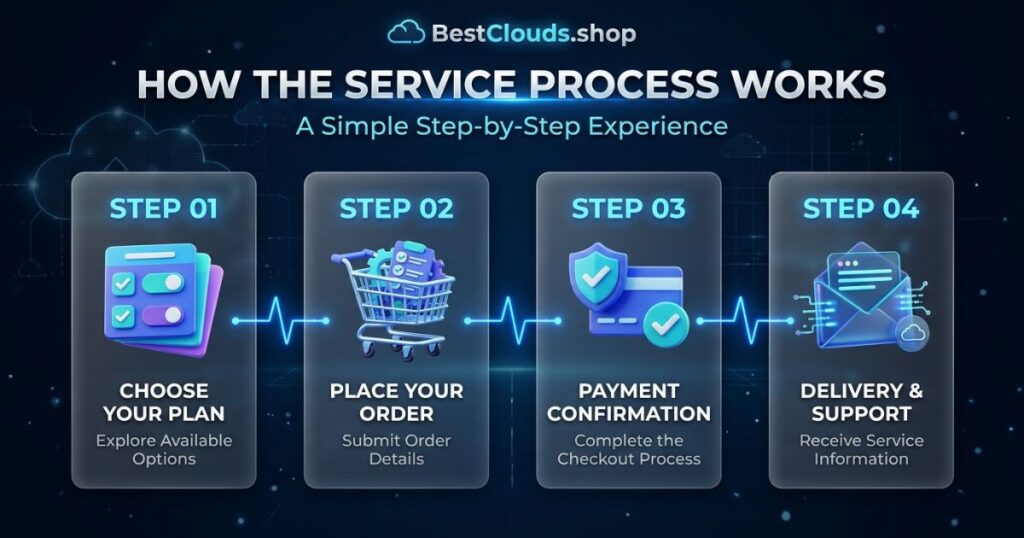
Step 1 — Pick a tier.
Choose a credit level and vCPU quota that match the workload. Buyers unsure about sizing can message support with the use case and expected instance types; we will point to the right tier.
Step 2 — Place the order.
Provide the secure email address where credentials should go. Use an address the buyer controls, not a shared inbox.
Step 3 — Complete payment.
Pay with the digital method shown at checkout. An order confirmation goes out by email.
Step 4 — Receive the credentials.
After payment clears, an encrypted message arrives with the root email, root password, recovery details, and a short setup guide. Keep this message offline until the security steps are done.
Step 5 — Secure the account.
Follow the six steps in the previous section the same day. Change the email, reset the password, enable MFA, and create IAM users. Delaying this is the most common reason accounts go wrong.
Trust Signals, Warranty and Support
Buying a cloud account online requires trust, and trust holds up better when terms are clear than when claims are loud. Our commitments sit alongside the checks buyers should make before ordering.
What BestClouds guarantees:
- Account condition: every account is checked for an active billing profile and clean usage history before it is listed.
- Replacement warranty: a 7 to 30 day replacement policy covers login failures and account-level access issues that appear after delivery.
- Support response: the team answers setup questions by email and chat, usually within a few hours during business days.
- Delivery record: each order gets a timestamped delivery confirmation. If the encrypted message does not arrive, support picks it up from the order ID.
What buyers should check before ordering:
- Read the replacement policy in full. It covers access failures, not misuse after takeover.
- Confirm the tier matches the workload. Credits and vCPU are fixed before delivery and cannot be swapped later.
- Check that the use case fits the AWS Acceptable Use Policy. Accounts used for spam, crypto mining, or fraud are not supported.
What BestClouds does not claim:
- No affiliation with Amazon Web Services. BestClouds is an independent reseller. The disclaimer below explains this in full.
- No customer counts or ratings without evidence to back them. Buyers who want references can ask support, and we share what we can.
- No promise that any account stays active forever. AWS can review any account at any time, and buyers should plan for that.
Clear limits beat hype. If a claim on this page feels too strong, message support and we will correct it.
Compliance and Risk Notice (Disclaimer)
Read this section before ordering. It matters more than any other part of the page.
No affiliation with AWS. BestClouds is not affiliated with, endorsed by, or sponsored by Amazon Web Services. “AWS” and “Amazon Web Services” are trademarks of Amazon.com, Inc. The names appear here only to describe the product category.
Terms of Service risk. AWS’s Terms of Service restrict the transfer and resale of accounts. Buying or selling an AWS account may violate those terms. AWS can suspend an account it believes was transferred in breach of its agreement. BestClouds cannot prevent that action and cannot guarantee an account stays active.
Buyer responsibility. Purchasing an account means accepting responsibility for how it is used. Buyers agree to follow the AWS Acceptable Use Policy and all applicable laws in their jurisdiction, and agree not to use the account for spam, crypto mining, fraud, or any activity that breaks AWS policy.
No legal advice. This page is product information, not legal advice. Buyers unsure whether a pre-configured account fits their business should speak to a lawyer in their jurisdiction before ordering.
Refund scope. The replacement warranty covers access failures at delivery. It does not cover suspensions caused by the buyer’s use of the account after takeover, nor AWS policy enforcement actions.
The notice exists for a reason. Buyers who read it in full make better decisions. If these terms are not acceptable, please do not order.
Frequently Asked Questions
Q1: Is it safe to buy an AWS account online?
It can be, with the right seller and the right habits. Risk comes from two places: the seller (fake accounts, no warranty) and the buyer’s own use (policy violations, leaked credentials). Checking the seller’s replacement policy, changing the root email and password on day one, and enabling MFA covers most of the risk the buyer controls.
Q2: How fast is delivery?
Most orders ship the same day, often within a few hours of payment confirmation. Credentials arrive as an encrypted message. Orders placed outside business hours move to the next working window.
Q3: Can the root email and password be changed?
Yes. Every account is sold with full root access and a changeable email. Switching the root email to the buyer’s own domain, resetting the password, and enabling MFA should happen within the first hour.
Q4: How long do the credits last?
Promotional credits on our accounts run for up to 24 months. The exact expiry date shows in the Billing console under the Credits tab. Once credits are used, the account continues on standard pay-as-you-go billing.
Q5: What is the difference between a vCPU account and a credit account?
A vCPU account is about compute capacity. The quota is raised so larger EC2 instances launch immediately. A credit account is about money. It carries preloaded promotional credits that offset the bill. Many of our accounts include both.
Q6: Do the accounts support Bedrock and SageMaker?
The AI tier does. Those accounts carry Bedrock inference limits and GPU quota for SageMaker workloads. Mention this in the order form so the right configuration ships.
Q7: What happens if login fails after delivery?
Contact support with the order ID and a description of the error. If the issue is on our side, the account is replaced under warranty. If the issue is a forgotten password or a misconfigured MFA device, support helps recover access.
Q8: Can the account be used in any region?
Yes. Accounts support deployment across North America, Europe, Asia-Pacific, and South America. Some instance families are region-specific, so check availability in the console before planning a launch.
Start Your Deployment with BestClouds
Projects stuck on quota approval or grant decisions can move forward with a pre-configured account. Pick the tier that fits the workload, follow the six security steps on delivery day, and keep the compliance notice in mind.
Ready to order? Choose the credit level and vCPU quota on the product page, or message support with the use case and we will recommend a tier.
Product tags : buy aws account, buy aws account with credits, Verified AWS Account for sale, buy AWS Bedrock Account, aws account for sale, buy verified aws account, buy aged aws account, aws account for bedrock 10k rpm access, buy aws activate credit account, buy pre verified aws account, buy aws developer account, buy aws activate credit account, buy pre verified aws account, buy verified aws ec2 vcpu account, bedrock rpm access , Buy Azure Account With credit
Reviews
There are no reviews yet.